-
Generate leads with
downloadable “offers”Give your prospects free, valuable content like eBooks, white papers, webinars and case studies in exchange for their contact info.
-
increase conversions with
optimized landing pagesImprove lead generation success by creating hard-to-resist landing pages for your forms and downloadable marketing offers.
-
tell your visitors (politely)
what to doConvert more browsers into buyers by using calls-to-action (CTAs) to convince them to do something – whether it’s to sign up, download, request a demo or get a quote.
build a lean, mean, lead-generating machine.
Done right, your website will become your sales and marketing team’s best friend. Whether we’re building from scratch or improving an existing one, we help companies get more out of their websites.

Go Responsive
Responsive design creates an ideal browsing experience for users by optimizing your content to the device being used to view it. Your prospects (and search engines) will thank you.

Always Be Converting
If all you have on your site is a “request a quote” form, you’re leaving a lot on the table. Create calls-to-action and conversion opportunities for people who aren’t ready to do business yet.

What’s in it for me?
While you may in fact be the “industry leading solution provider,” that doesn’t mean much to your prospects. Tell them what you can do for them in a language they can relate to.

Solve Problems
Buyers usually land on your website trying to solve a problem. Use content to give them the answers. You’ll earn their trust and they’ll come to you when it’s time to spend money.

BEGIN WITH THE END IN MIND
we turn your business goals into a strategic marketing plan
Research is the foundation of every engagement. We get neck-deep into understanding who your customers are and how they buy from you. And then we build a road map for success.

define success with goals
Business goals are at the heart of every campaign. Whether you’re looking to add top line revenue or improve bottom line profits, we work with you to define success and then we set our sights on the target.
.jpg)
create customer profiles
The more we know about your ideal customers the better we’ll connect with them. We use market research and interviews to build out detailed buyer personas, or profiles of your prospects that guide our strategy.
.jpg)
develop a tactical plan
A strategic plan ensures that all our marketing activities are laser-focused on hitting your goals. With everyone rowing in the same direction, it’s easy to avoid distractions and focus on the big picture.
Build your reach: get in front of prospects wherever they are
Whether it’s search engines, industry websites, blogs or social media – your prospects are consuming information online. We use a holistic and integrated approach to find them, grab their attention and drive them to your website.
-
content marketing
Use valuable, targeted content (on your website and on other sites) to attract prospects, spur action and acquire customers.
-
search engine optimization (SEO)
Build credibility with search engines to earn better rankings for relevant keywords and increased organic traffic to your website.
-
online PR
Get your message in front of your target audience by publishing articles and earning coverage on the websites they visit for industry information.
-
paid search
Use paid advertising like Pay-per-click (PPC), social media advertising and sponsored content to target prospects based on their demographics and behavior.
-
social media
Communicate with buyers on the right platform to build relationships, increase your reach and humanize your brand.
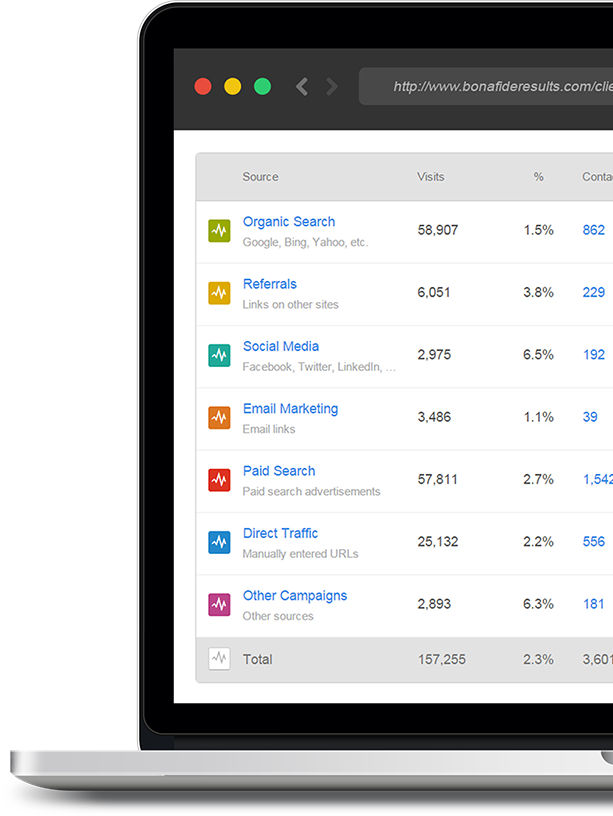
turn anonymous website visits into leads
Most people who visit your website aren’t ready to talk yet – they’re still researching solutions and checking out your credentials. Rather than send them on their way, we entice them into swapping contact info for killer content that answers their questions.

Sell More By Not Selling
People don’t like being sold to. Instead, we use content and technology to give your prospects the right information at the right time, helping you earn their trust and their business.
.jpg)
spend more time with
your best prospects
Prioritize your sales activities by identifying your ideal prospects, the ones who are the most profitable and ready to buy, and giving them more of your valuable time.
.jpg)
“nurture” leads that
aren’t ready to buy yet
Use lead nurturing to turn tire-kickers into customers by providing them with all the information they need to see you as the best solution to their problems.
.jpg)
know what to say
(and when to say it)
Improve close rates with insight. Use your prospects’ interests and browsing activity to follow up at the right time, armed with the right information.
the numbers don’t lie
with technology this slick
We use marketing automation and sales CRM tools to manage, track and report on everything in one place.
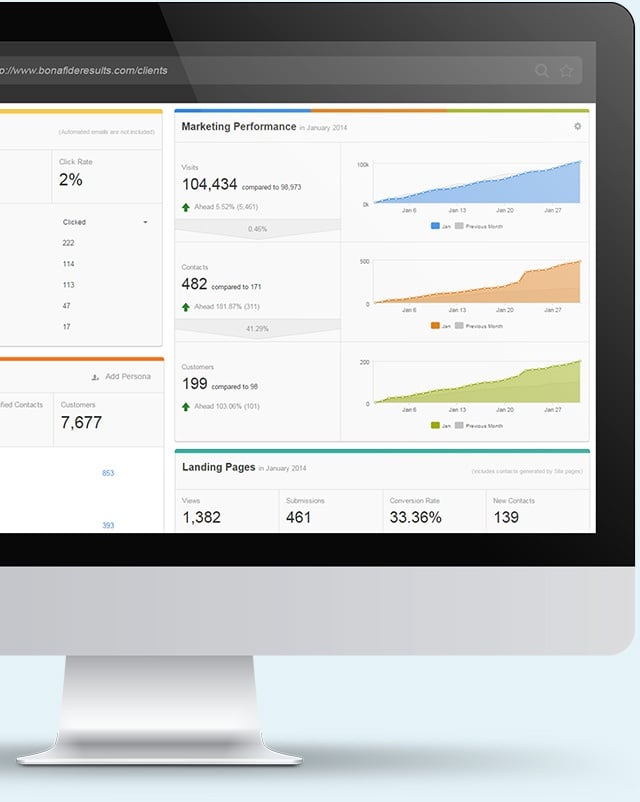
Get real-time ROI and performance data for all your marketing and sales activities in one simple dashboard.
-
data-driven decisions
Use technology and analytics to track all aspects of your campaign and hone in on the activities that produce the best results.
-
closed-loop reporting
When you acquire a new customer, track it back to the first time you saw them so you know which activities are paying the bills.
-
simple, intuitive dashboard
No more information overload. Get all your most important KPIs in one easy-to-understand marketing dashboard.
-
centralized toolset
Launch, manage and track all your marketing activities with one login and eliminate the need for multiple, disparate tools that make reporting a nightmare.
harness the power of customer loyalty
Treat your customers right and they’ll spread the word. By focusing on the “post-sale” too you’ll encourage repeat business, customer engagement and customer advocacy.

-
Retain customers & earn repeat business
Keep your customers buying from you by engaging them with education, onboarding programs, special promotions and feedback surveys.
-
build Trust with a stellar brand reputation
Use online reviews, client testimonials and case studies from your delighted customers to let the world know how awesome you are.
-
use word of mouth to get strong referrals
Take care of your customers after they’ve written the check and they’ll thank you for it by sharing their experience within their networks and on social media.
But don't take our word for it...
.jpg)
Bonafide has helped us take advantage of all the opportunity the web has to offer and continues to innovate on our behalf every day. We've seen tremendous growth in our presence online, our leads and most importantly, our revenue.